
pfUI Octo for OctoWoW
Your whole interface. One addon. ✨
pfUI Octo is a free all-in-one interface for WoW 1.12 (OctoWoW), version 1.0.0, made by Bdot89: unit frames, action bars, nameplates, meters, threat, combat text, a swing timer, gear sets, a key map and whole UI layouts, all set up from one options window with a live preview on every page. 🎛️
pfUI - NOTHING ELSE!If your folder is called pfUI-Octo, pfUI-octo, pfUI-Octo-octo or pfUI-master, DELETE the -Octo / -octo / -master part on the end so it reads exactly pfUI.
✅ Interface\AddOns\pfUI ❌ Interface\AddOns\pfUI-Octo-octo
With the wrong name the game won't load it (OctoLauncher says "Missing .toc file").
🔌 ONE-CLICK DLL INSTALLER: ALWAYS THE NEWEST VERSIONS! It's in the ZIP: double-click Install pfUI Octo DLLs.bat in the pfUI folder (game closed). Every run fetches the latest releases of ClassicAPI, SuperWoW, nampower and UnitXP_SP3 from their authors' GitHub, installs what's missing and updates what's out of date. Run it again any time to stay current; it backs up old DLLs and never swaps a newer build you have for an older one. What they add
🧩 Built on pfUI by Shagu: pfQuest, Clickcast, your profiles and your settings all keep working. It just does a lot more, and looks better doing it.
🛠️ Install in 4 steps
Close the game
Addons and DLLs are only read when the game starts.
Unzip into AddOns
Download pfUI.zip, Extract All, and put the pfUI folder in
OctoWoW\Interface\AddOns. Replace an old pfUI folder: your settings stay.🚀 Or with OctoLauncher (updates in one click): Addons → Add custom git addon → paste
https://github.com/bdot89/pfUI⚠️ The folder must be called exactly pfUI. Used GitHub's green Code → Download ZIP? Rename pfUI-Octo-octo to pfUI, else OctoLauncher says "Missing .toc file".
Run the DLL installer optional
In that pfUI folder, double-click Install pfUI Octo DLLs.bat. "Windows protected your PC": More info, then Run anyway.
Play! 🎮
Start the game from OctoLauncher. A short setup wizard picks your look and layout.
/pfuiopens the options,/moveuimoves frames.
🌟 What you get
- 🗺️ UI layoutsNormal, Raid, PvP or your own, each with its own frames, meters, gear and spells; switches by itself by zone
- 🧍 Unit framesPlayer to raid, with fading health, combat flash, class icons, elite marks, dispel colours, buff timers
- ⚔️ Action bars14 button looks, proc glows, cooldown swipes, hover and press effects, fading, end-cap art
- 🎯 NameplatesPlater-style: 8 looks, auras, cast bars, threat colours, quest marks, range fading, your own rules
- 📊 Meters & threatUp to 6 windows, full breakdowns of every spell, target and death; a pull warning on your target
- 💥 Combat textFive areas you place yourself, with looks, crits, sounds and alerts
- ⏱️ Swing timerMain hand, off hand and ranged, parry haste, queued attacks, Slam and Seal-twist marks
- 🛡️ GearInstant set swaps, a trinket queue, slot buttons, automatic swaps, talent specs at the Brainwashing Device
- ⌨️ Key MapYour keyboard on screen: drag any spell, item or macro onto a key, pick the rank, see every layer
- 🎒 Bags, chat, minimapInstant sorting, new-item glows, chat with class colours, a SexyMap-style minimap, loot roll history
- 🧭 Layout modeDrag and snap frames, mirrored guide lines, match sizes, lock frames together, hide what you don't need
- 🔁 Octo or BlizzardA switch on every page: back to Blizzard's frames for that part at once, no reload
📸 Screenshots
Every page opens with a live preview: click a part to jump to its settings, drag it to move it, wheel to zoom. Click a picture to see it full size. 👀
green = onred = offpurple = pick onegold = save / copyblue = opens more
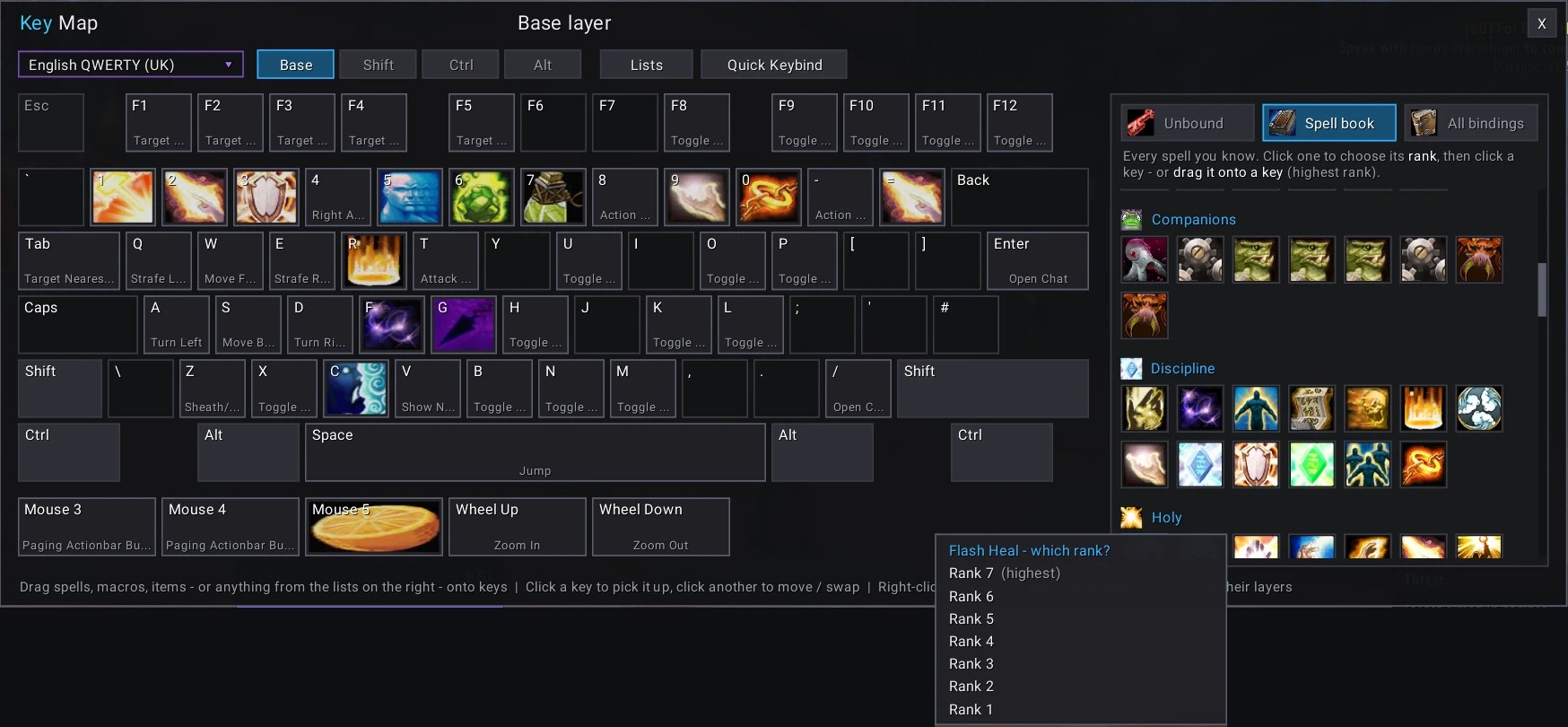
⌨️ Key Map
Your whole keyboard on screen (UK, US, QWERTZ or AZERTY), with the mouse buttons and wheel. Every key shows what it does: a spell's icon, or the name of what it's bound to.
- Spell book: every spell you know. Click one, pick its rank, then click a key, or just drag it onto a key
- Unbound: spells on your bars that have no key yet
- All bindings: the game's whole list, to drag too
- Shift / Ctrl / Alt: see and set each layer
- Click a key to pick it up and move or swap it, right-click to clear it
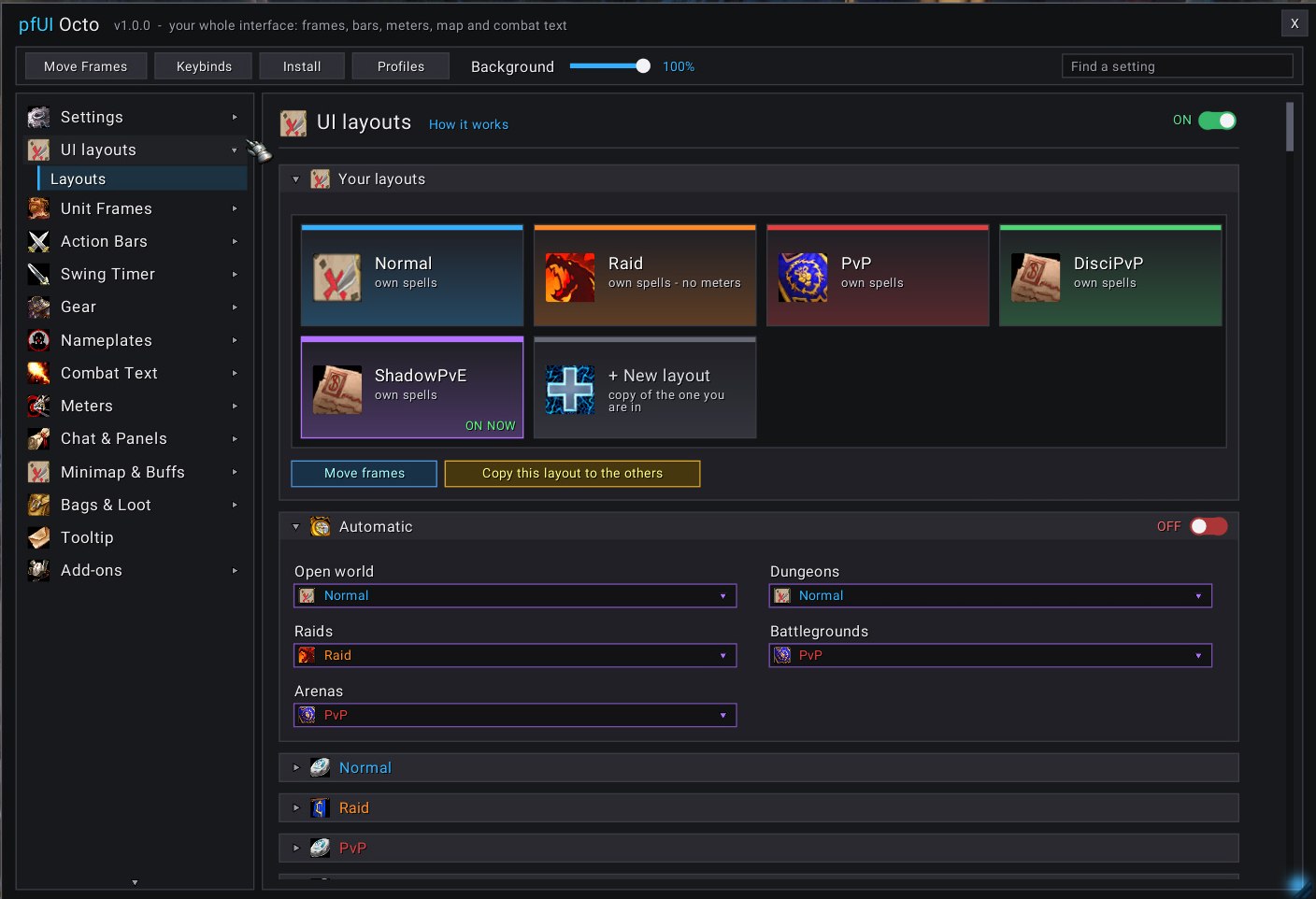
🗺️ UI layouts
Coloured tiles, one click to switch. Pick which layout the world, dungeons, raids, battlegrounds and arenas use.
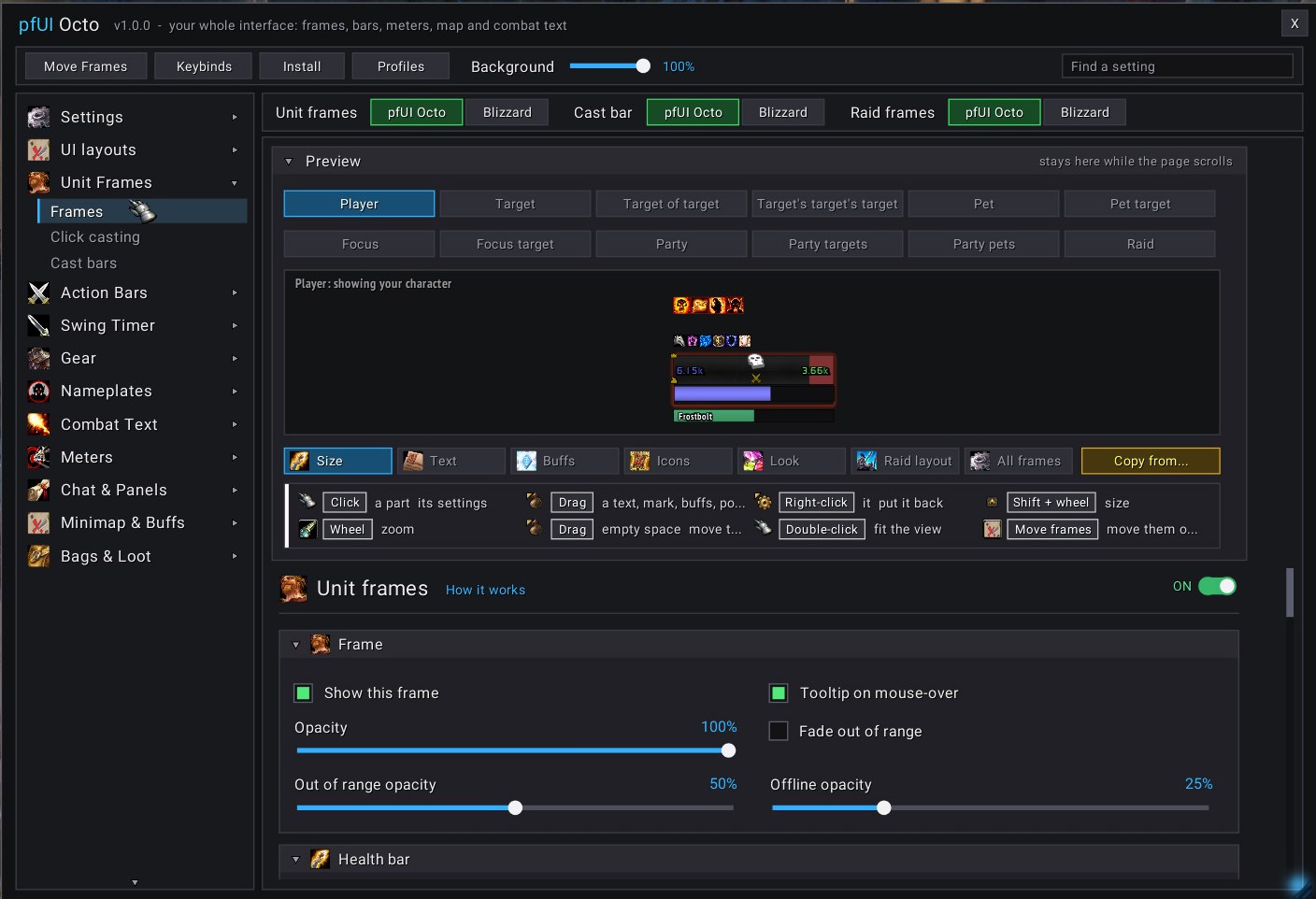
🧍 Unit frames
Your real frame in the preview. Click any part to change it, drag the texts, Shift + wheel to resize.
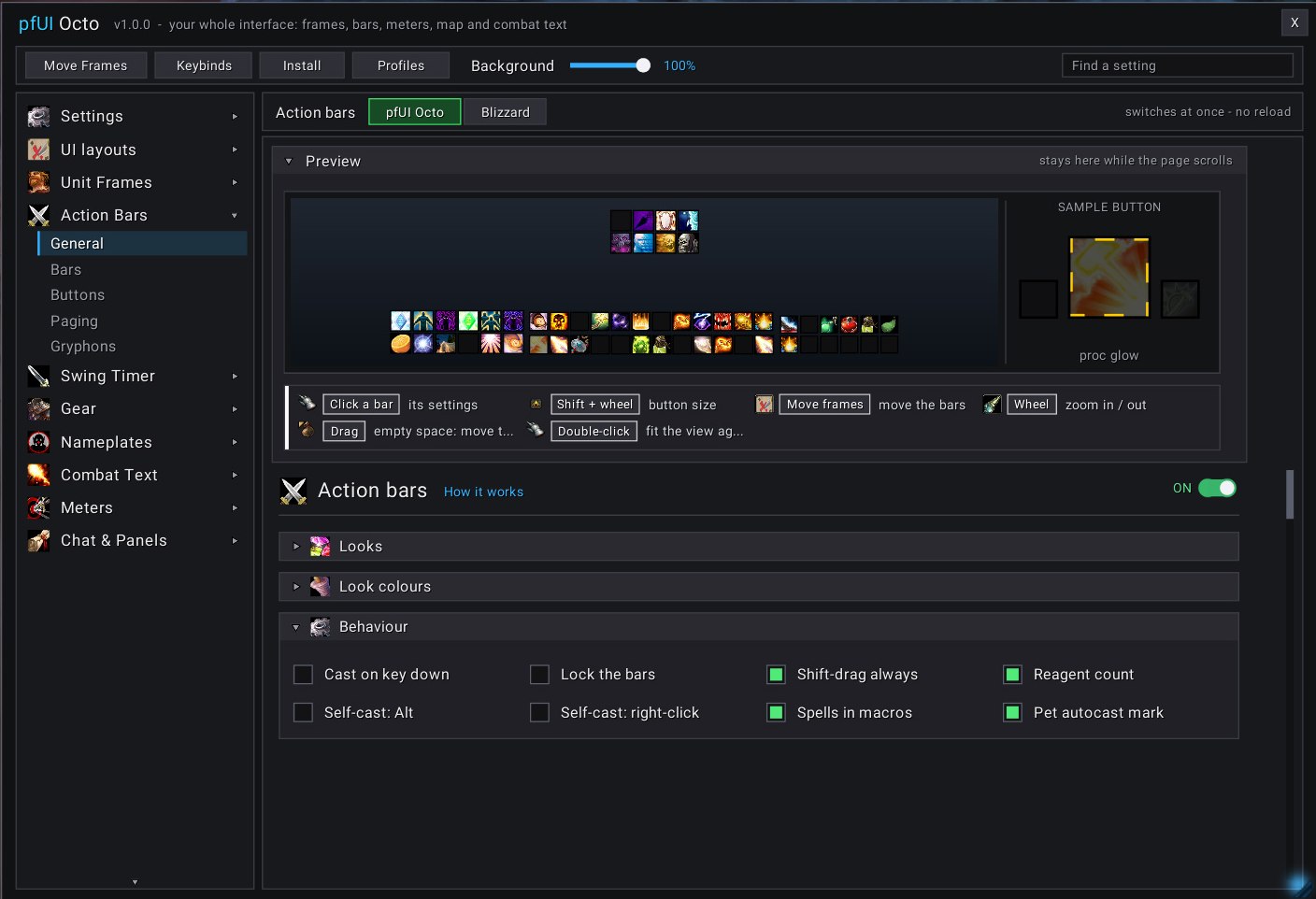
⚔️ Action bars
Your bars on a mini screen and a sample button playing every effect. Pick a look from 14 tiles.
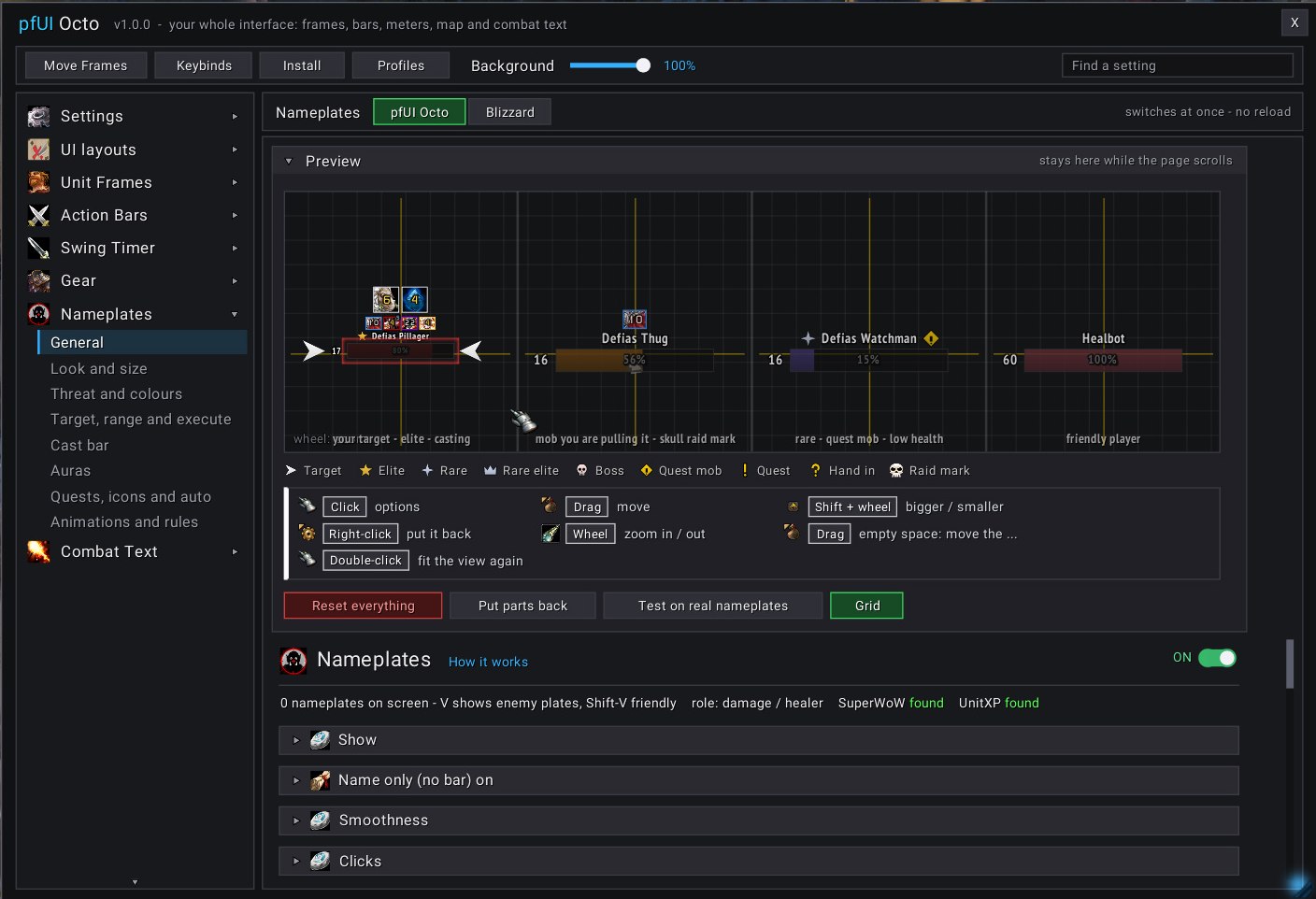
🎯 Nameplates
Four sample plates follow every change. Test threat colours and casts on the plates around you.
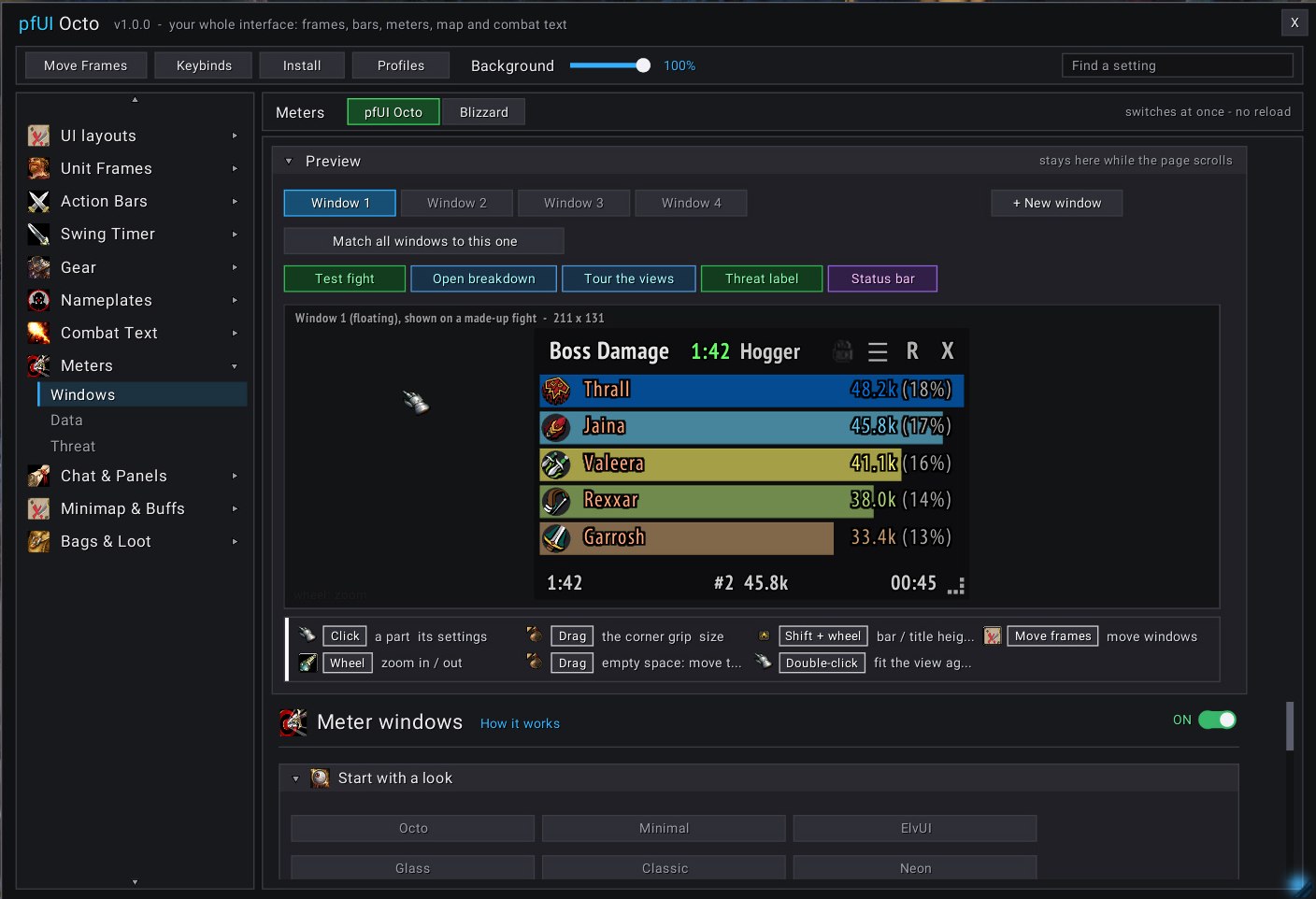
📊 Meters
Up to six windows. "Test fight" fills them with a made-up Onyxia fight to style them anywhere.
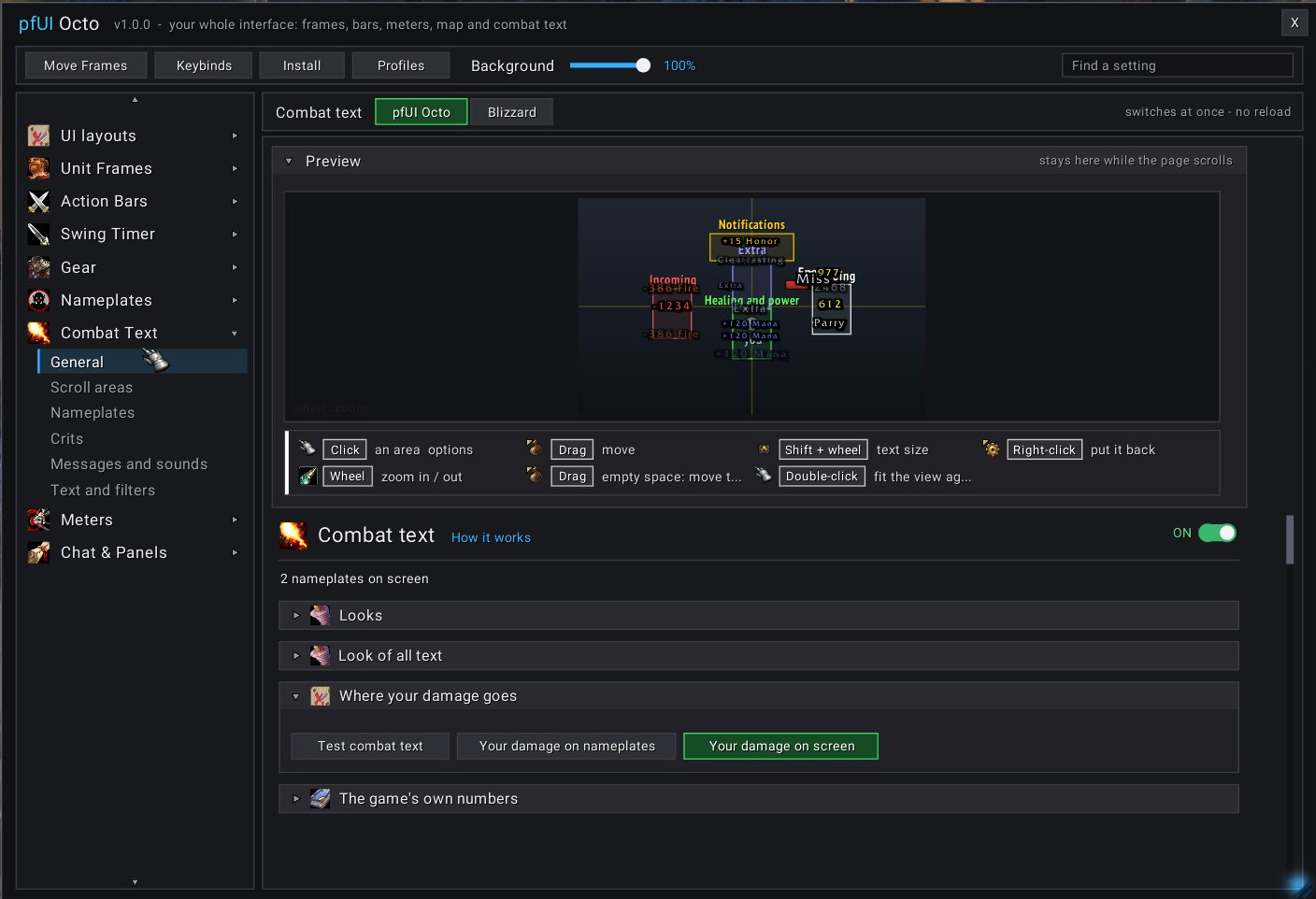
💥 Combat text
A small copy of your screen: drag an area to move it, watch sample hits, heals and crits float by.
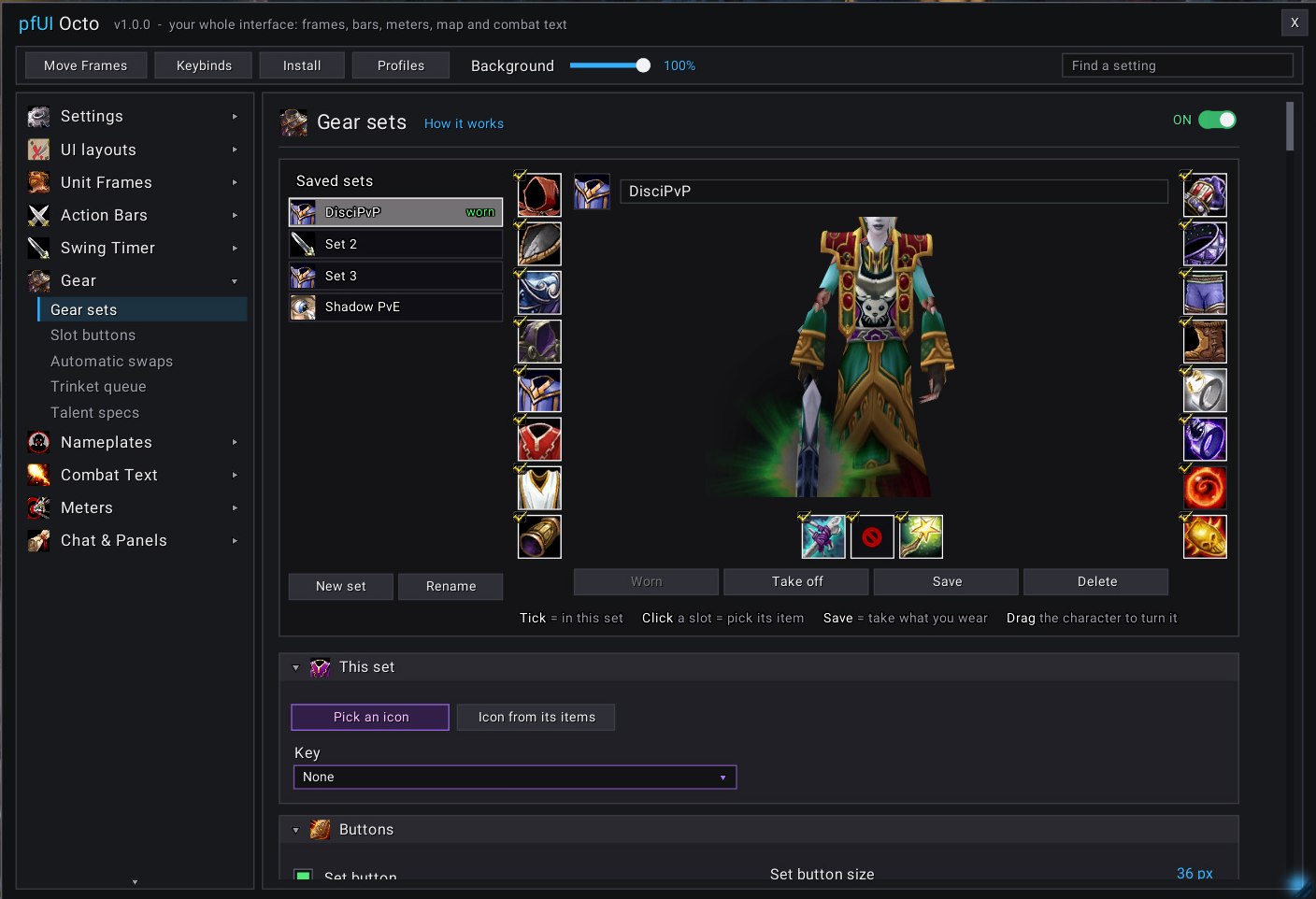
🛡️ Gear sets
Your character between the slots, like the character window. Click a slot to pick an item, then Save.
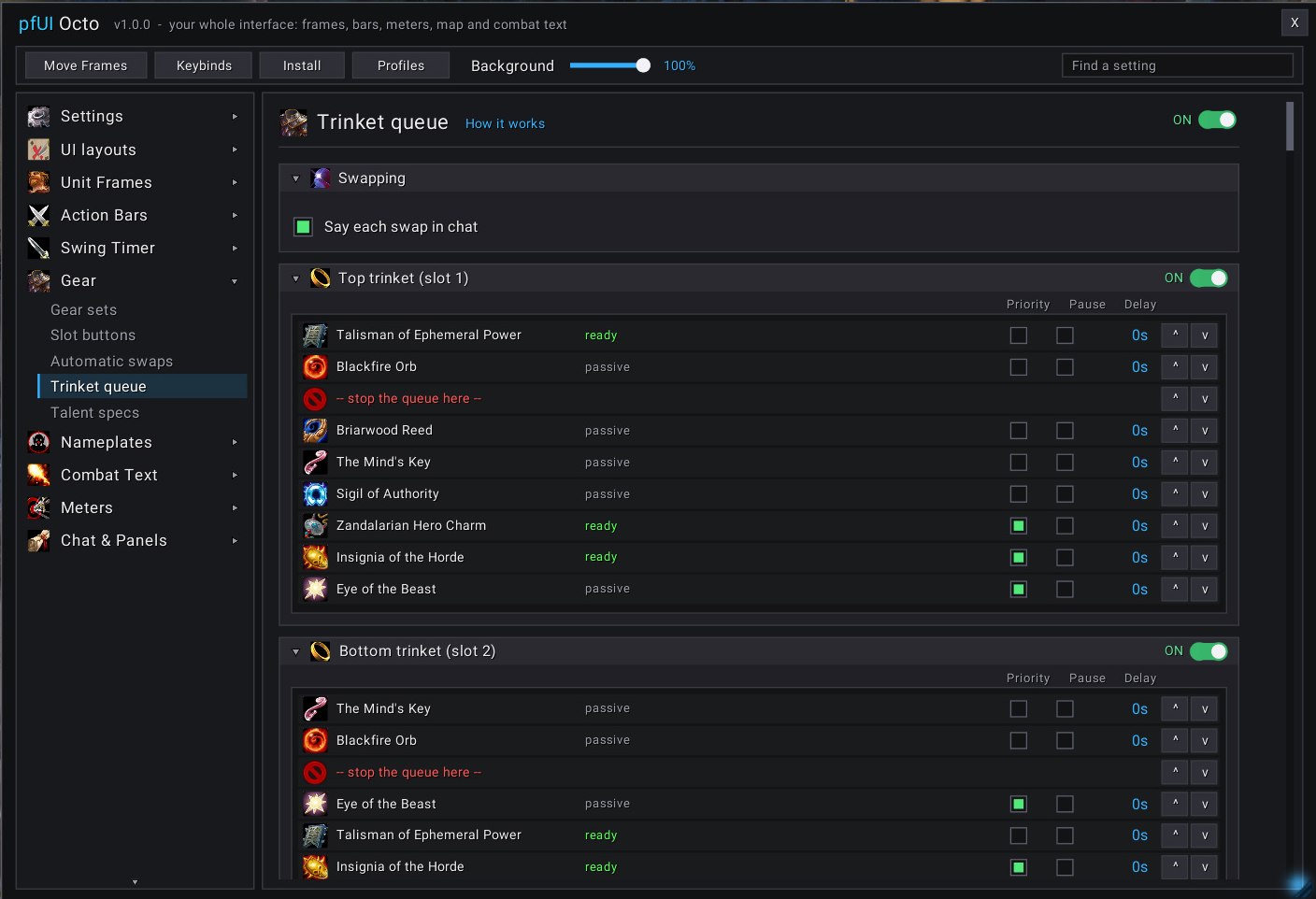
💍 Trinket queue
When the trinket you wear is on cooldown, the next ready one goes on by itself.
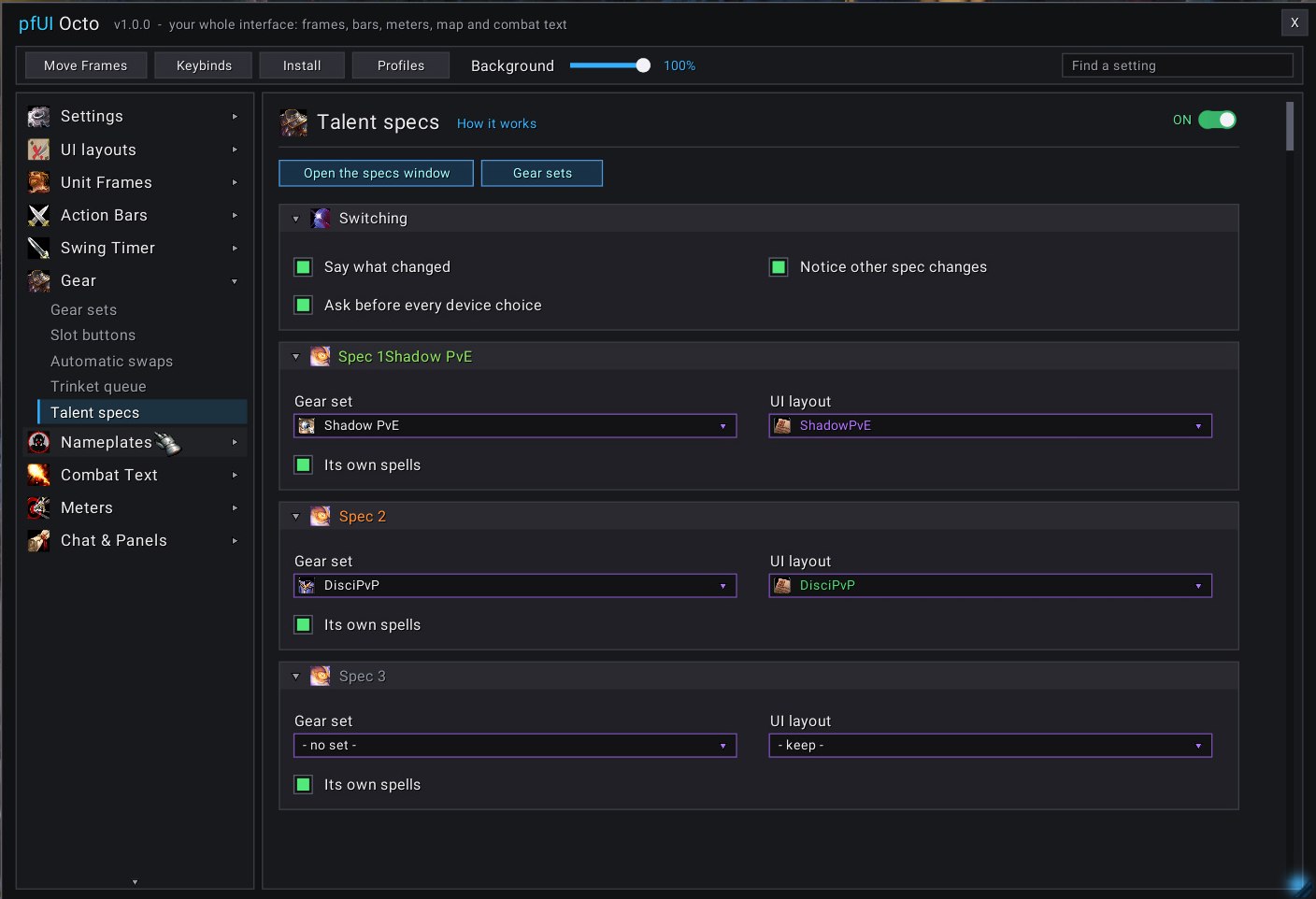
🧠 Talent specs
Each spec at the Brainwashing Device gets a gear set, a layout and its own spells.
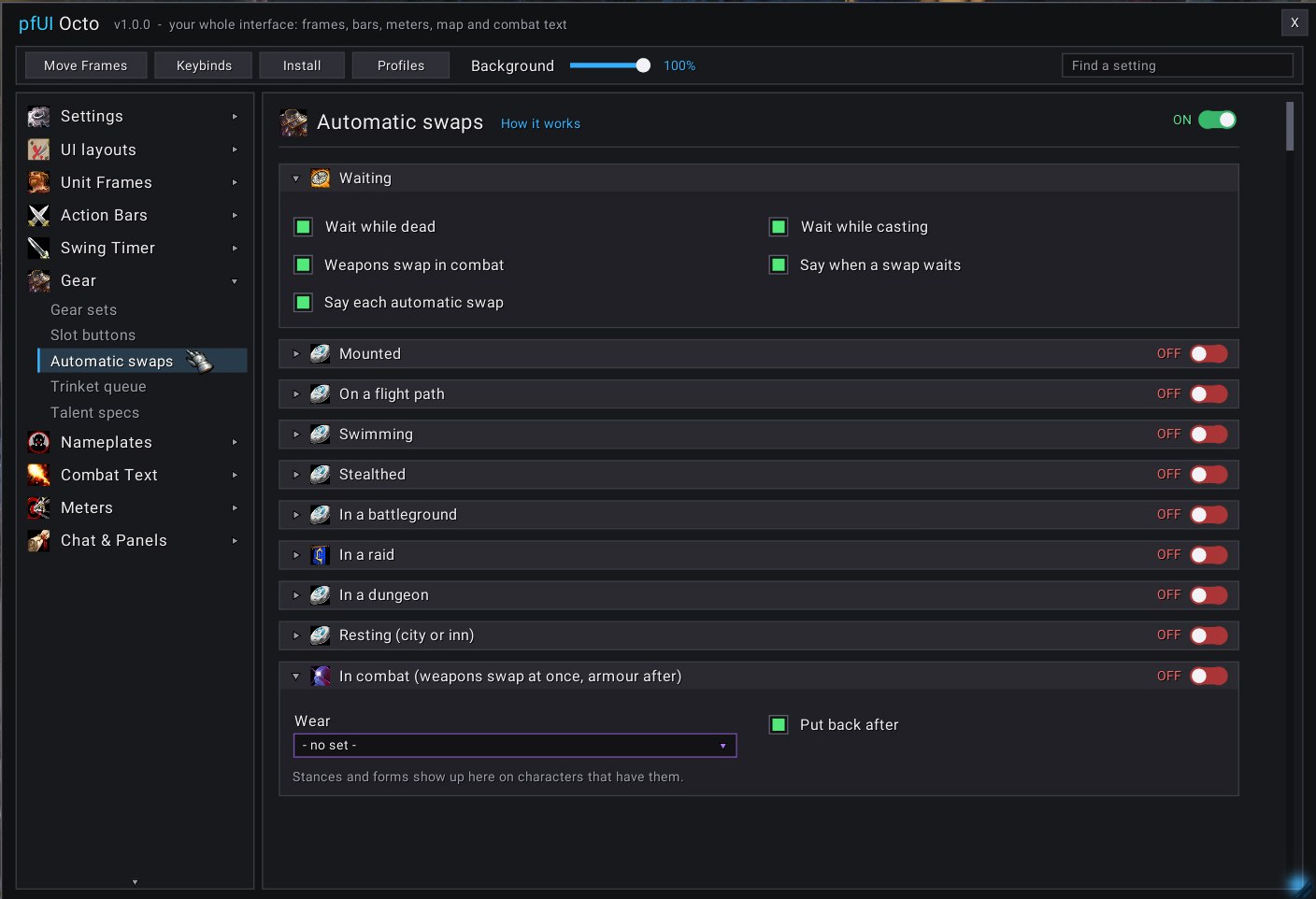
🔄 Automatic swaps
A set goes on when you mount, swim, stealth or enter a battleground, and comes off after.
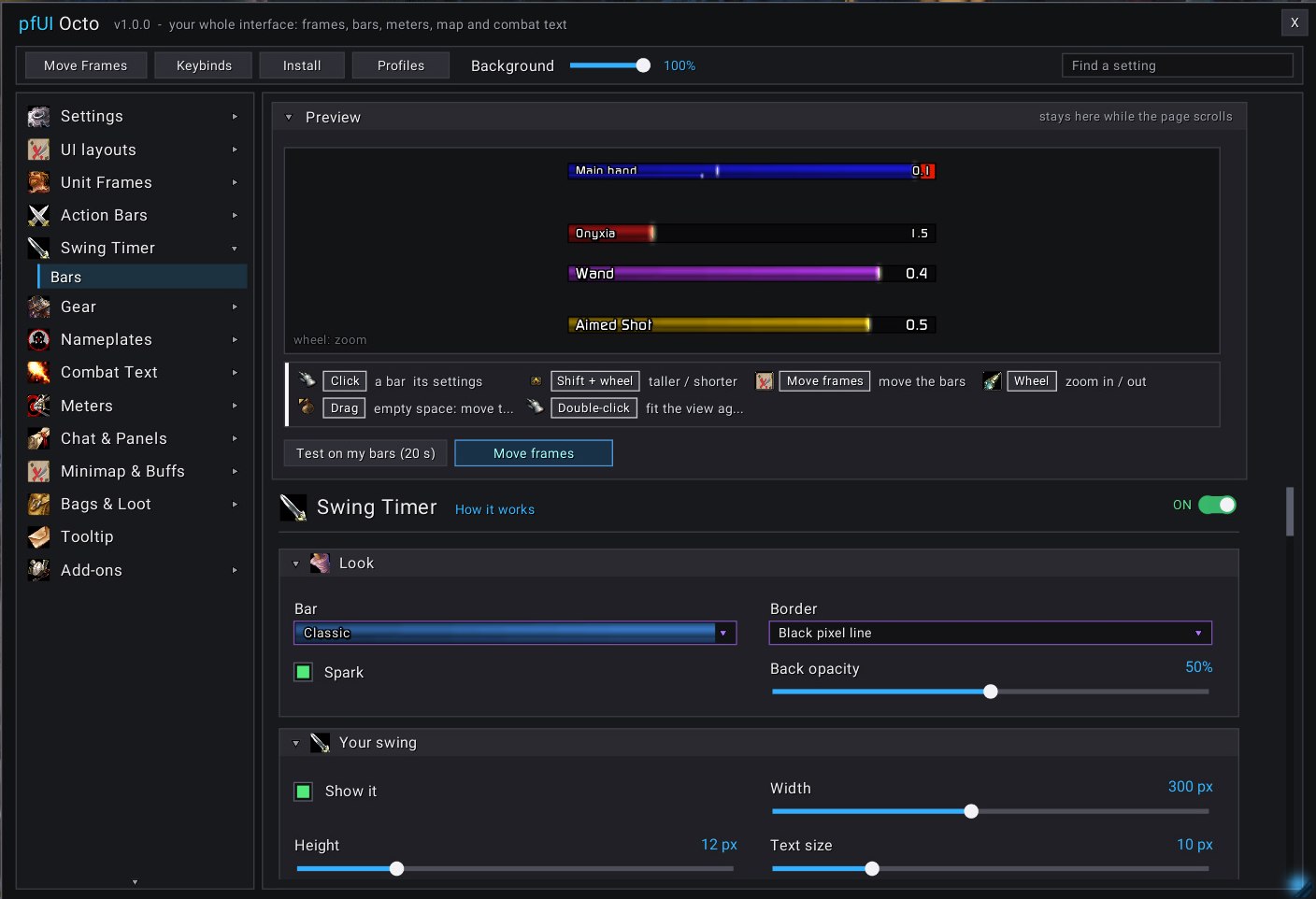
⏱️ Swing timer
Main hand, off hand, ranged and casts, with Slam and Seal-twist marks.
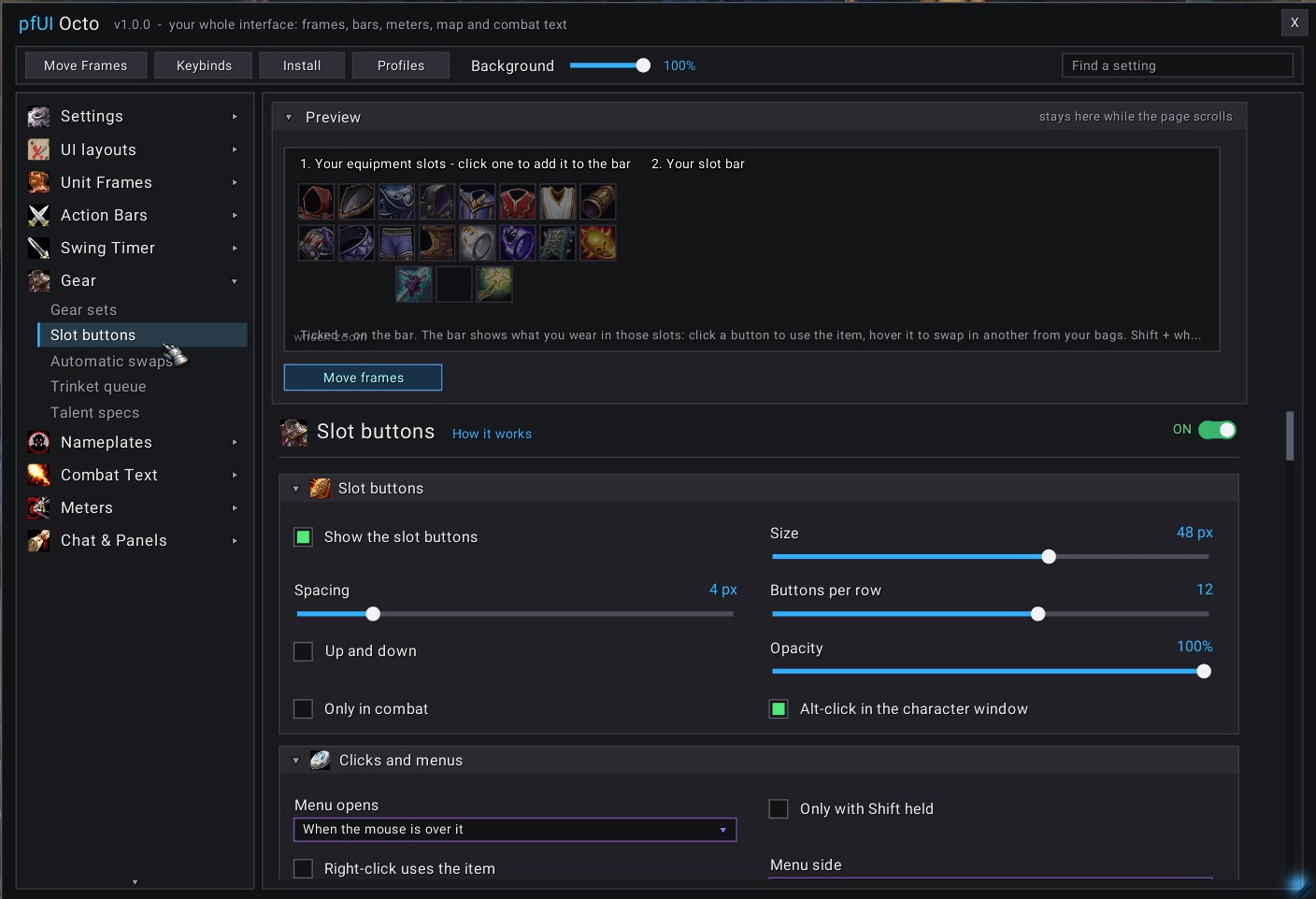
🎚️ Slot buttons
Buttons for any slot: click to use, hover to swap in another item, bind them to keys.
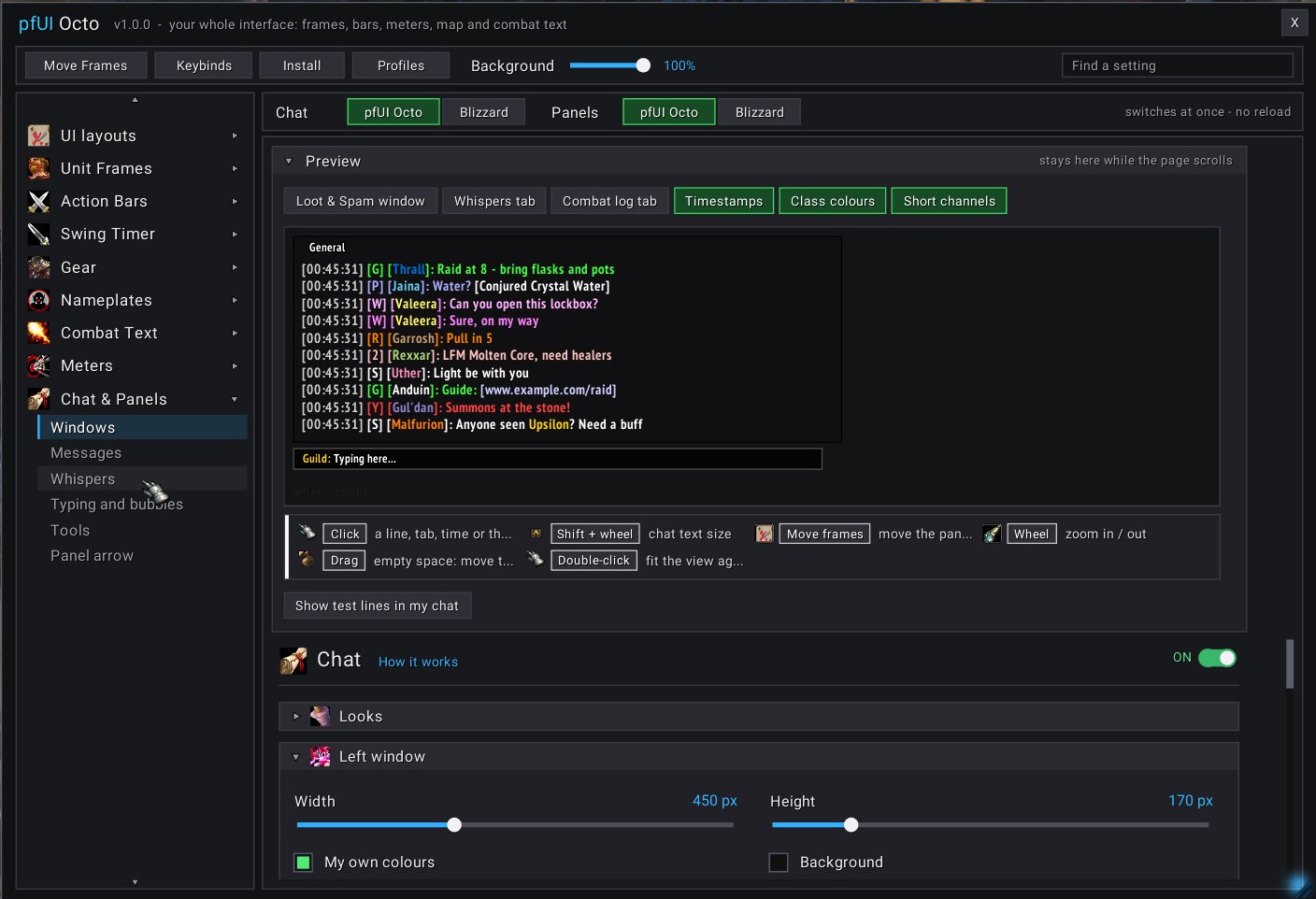
💬 Chat
Timestamps, class colours, short channel names, a Whispers tab.
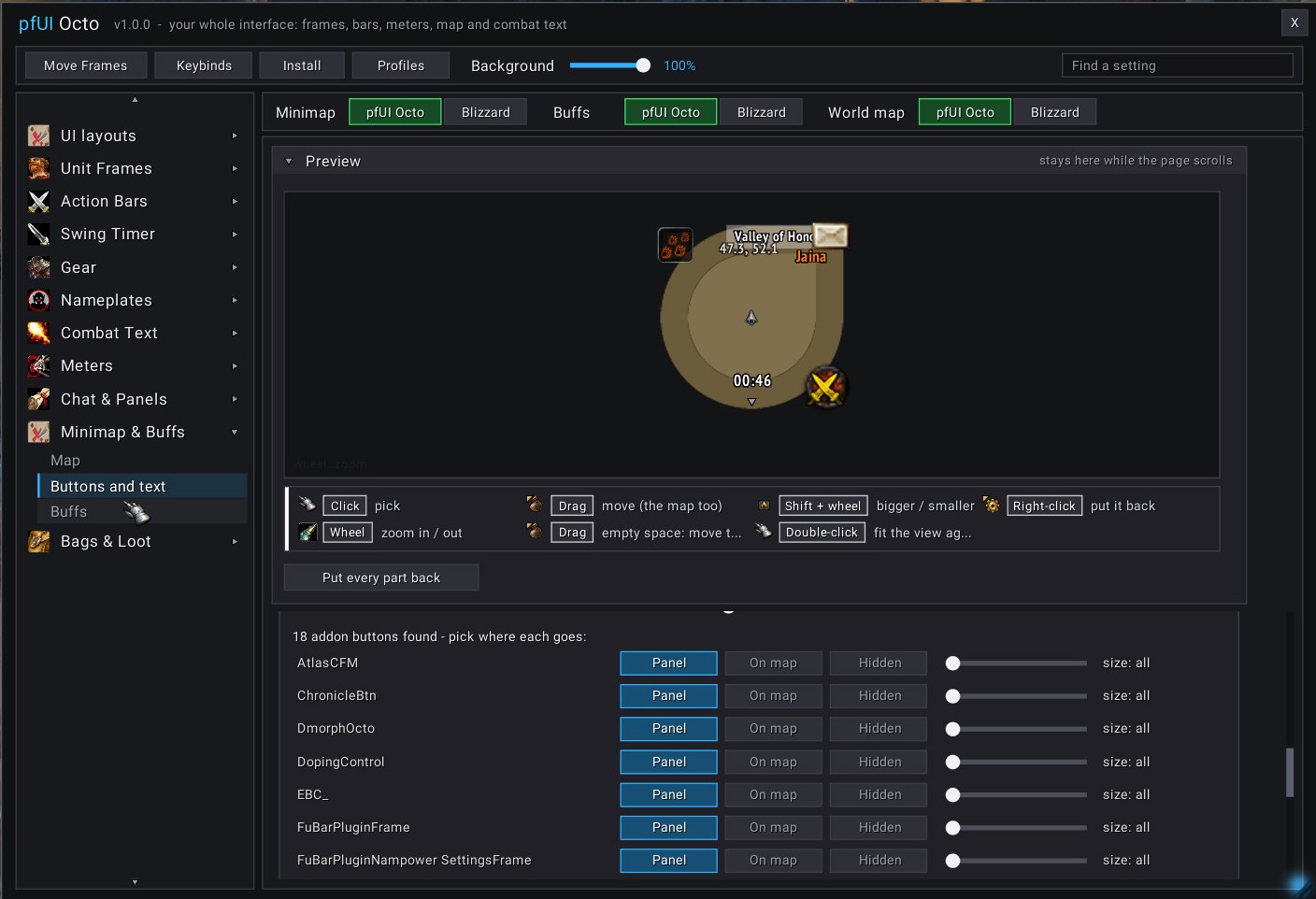
🧭 Minimap
Shapes, borders, spinning art, a clock, and every addon button where you want it.
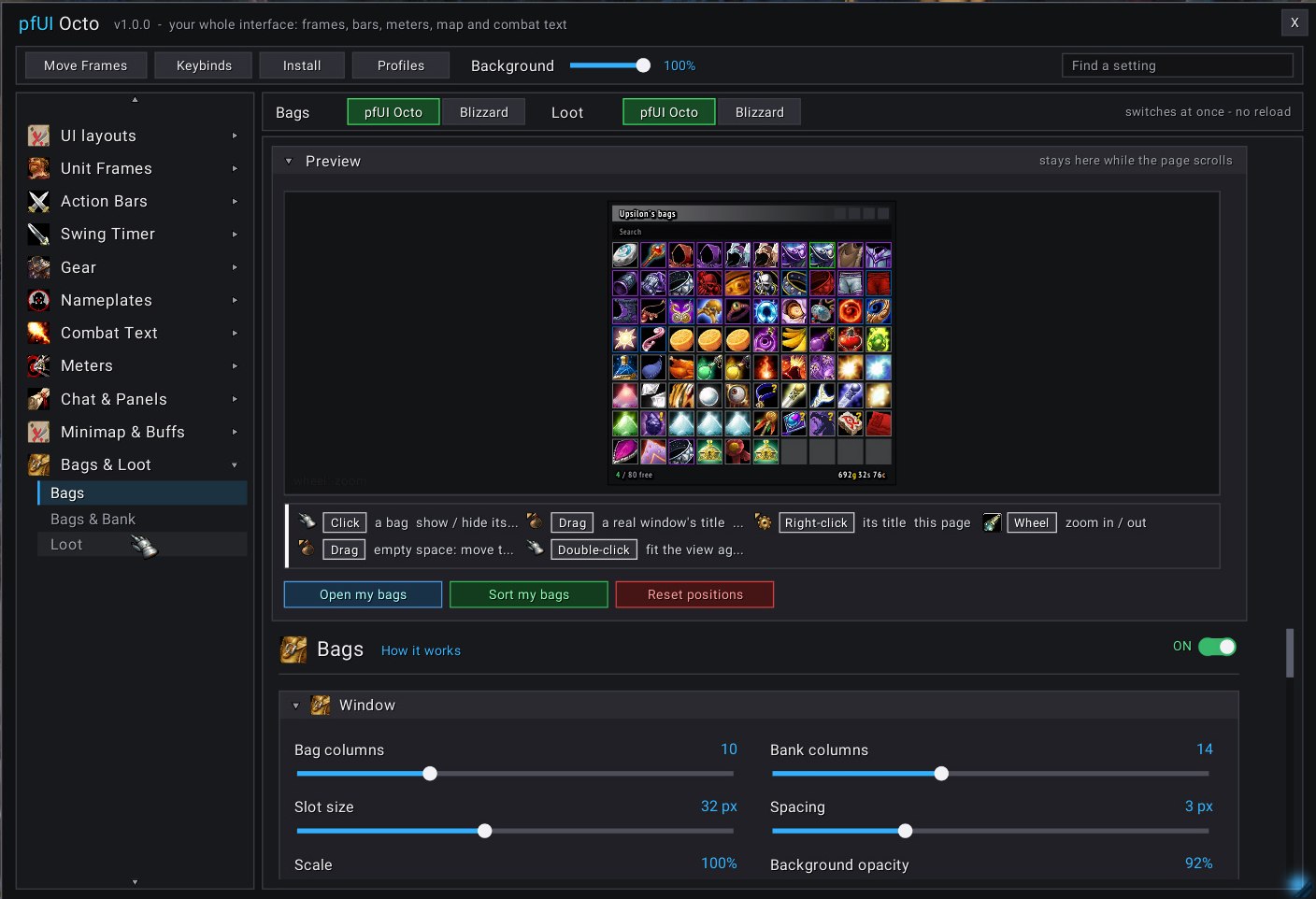
🎒 Bags
One bag window, your columns and sizes, one-click sorting.
⚡ The DLLs: what they add
All optional: pfUI Octo works without them, and nobody loses a feature. The installer above gets all four, or tick nampower and unitXp in OctoLauncher's mod list.
🧬 ClassicAPI
Instant gear swaps and bag sorting, a real focus, "can't interrupt" cast bars, the combat log for meters, map reveal for OctoWoW's zones, item counts, loot history
🦸 SuperWoW
Focus by GUID, /pfcast mouseover casting, enemy cast bars, real casts for the swing timer and meters
🚀 nampower
Your queued spell on the cast bar, spell casts for combat text and meters
📏 UnitXP_SP3
Exact distances and line of sight for range fading on plates and frames
⌨️ Commands
/pfui the options window/moveui layout mode: move, size, snap, hide/layout [name] next UI layout, or the one you name/gear gear sets (naked, queue, specs)/keymap the Key Map/sct combat text pages/loothistory who rolled what (ClassicAPI)/export /import share your whole setup